
Control4 HC800 OS Replacement & Hardware Overview
Monday 24th August, 2026
Device Information
| CPU | Intel Atom D525 |
| Storage | 8GB Silicon Power SATA SSD |
| RAM | 2GB |
| Power Input | 19V DC Barrel Jack |
| WiFi | Realtek 8191SU |
| Vendor OS | Control4 OS (2, upgradable to 3) |
Device Images
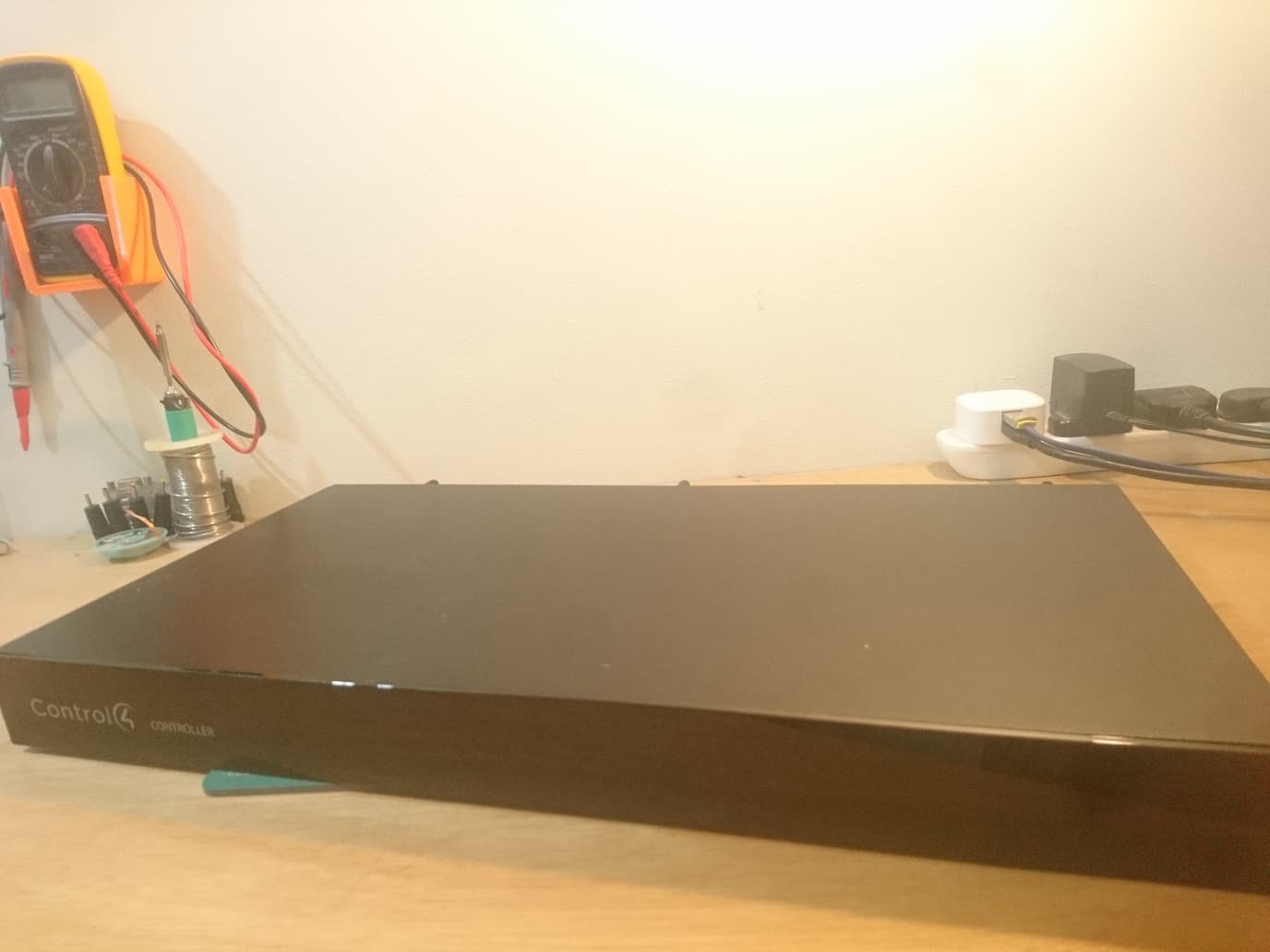

Preface
This page exists because nobody else bothered to document replacing the OS on these things. I'm sure someone else has done this before, but nobody bothered to write about it, atleast as far as I can find with the modern hellscape of search engines.
Control4 is a very expensive home automation system, mostly intended for high end professional installs. The HC800 is quite an old model as it goes from the Control4 lineup, being discontinued and from 2013. It can't run the latest version of Control4 OS (being stuck on not even the most recent release of Control4 OS 3). Though if you wanted to use the Control4 software, I think that's still usably recent.
Officially, you as the user cannot program it or set it up - all smart home programming must be done by an authorised dealer with the Control4 Composer software. Control4 Composer is, in my opinion, terrible, and makes something like HomeAssistant or openHAB look like software from the future. You have to log in to your dealer account to even download the software, log in to the software itself to allow you to use it, and then it's the slowest piece of crap ever.
After several hours of what essentially amounted to me bashing into walls until I figured out the route, I was able to get it to control a single MQTT light. I then put it next to a Cisco router and forgot about it for a few months.
Something nice about the HC800 is that it has some pretty good audio outputs (48khz 16-bit) on the back, making it theoretically good as a network audio receiver With the original Control4 software it would be possible, but a huuuuge pain in the ass (made worse by the fact that you need a dealer to make you a Control4 customer account to even be able to use the mobile app, so you can't really control it from your phone). Replacing the software with something more open is a much more appealing option.
My initial intention was to run Linux on it - I hoped that, since the original software was linux based (though a very old kernel haha), the audio outputs would work out of the box, and not require any weird firmware or kernel modules to work.
If you want to attempt this yourself, you should understand that the device may become unusable as a Control4 controller. While the first step is to take a backup of the disk, I haven't tried restoring this and I don't know if this invalidates some kind of licensing thing and bricks the original software. If anyone tries this, please let me know by sending me an email
Actually making it useful
The first thing you should do is take a backup image of the disk, as I doubt trying to contact Control4 for a copy of the original software would be particularly fruitful (and I would assume the reset button stops working after you reimage it. Given the partitions on the original disk, it looks like the reset uses a recovery partition, and doesn't reimage the disk from some immutable media, as I can't see any on the board). Take it apart by unscrewing the rack ears (if installed), then remove the 4 screws holding the top metal shell to the bottom. Finally, remove the 6 screws holding the top metal shell to the back piece. You should now be able to slide the top shell off (most of the way), giving you access to the SSD.
Undoing the two small screws will allow you to remove the SSD. Somehow attach it to a computer in a way that allows you to access it (I used a USB to SATA converter given it's just an SSD so the power requirements aren't very high). Use DD (or something like WinImage if on windows, but don't ask me how to do that) to make an image of the original disk content (e.g. dd if=/dev/sdX of=control4.img status=progress)
The next thing you want to do is install some flavour of linux to the SSD. As far as I know (feel free to correct me on this), you can't get access to the BIOS setup on the device and you can't boot from USB. This means the only way is to install your operating system to the SSD before putting it back in the HC800. There are many ways to do this, but I chose to pass the SSD through to a virtual machine, boot the linux installer in there and then install to the SSD. It's worth noting that the HC800 appears to only do BIOS boot, so make sure your VM is set to BIOS and not UEFI, such that the distro you install doesn't install a UEFI boot setup on the SSD.
You'll want to pick something relatively small, given the SSD is only 8GB, or, alternatively, swap the SSD for a larger one. You won't be able to fit a normal SSD in it's shell, but you'll likely be able to get the same size board by disassembling a standard SATA SSD.
Once you've got your distro of choice imaged to the SSD, perform the disassembly instructions in reverse, plug it in with the HDMI attached, and power it on. If all went well, you should see your new OS image booting up in front of you.
OS Specific Notes
Linux:
TTY outputs fine to the video, unlike on WES7, and I imagine a graphical session would also work, though I haven't tried, as I don't need that for my application (audio receiver). Note the video output is limited to 720p, so it wouldn't be the best media player. I wasn't able to get the onboard WiFi working in Alpine Linux (though possibly this is just me using the wrong kernel module or something), so I used a USB WiFi dongle plugged into the single rear USB port.
Windows Embedded Standard 7:
Runs pretty well on this hardware. WiFi is easily supported (SDIO has the driver), audio works out of the box (remember to add the HDAudio driver when constructing your image, wasted an entire day because I was missing that). 8GB is big enough that if you make your image small enough you'll have enough disk space left over to fully update it (a good target is probably ~1GB). Only thing that doesn't seem to work is video. Not entirely sure why, but the output is just blank, so you'll have to install it to SSD on another system and have some kind of remote access set up before you put the SSD into the HC800. One theory I have as to why this happens is that it might be outputting over the component outputs, but I don't have a component monitor to check this. If you try this, send me an e-mail with the results.